

Kinesis video content hosted on youtube may not obviously be translated into the language you prefer.
It is possible to get the video to display translated subtitles with a little configuration.
This is what to do.
1 Click the cogged wheel next to the CC at the bottom right of the video
2 Click on Subtitles
3 Click on English autogenerate - this will generate English text which Google will then translate as you wish.
4 Click on subtitles
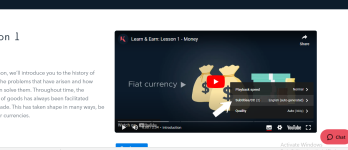
5 Click on autotranslate
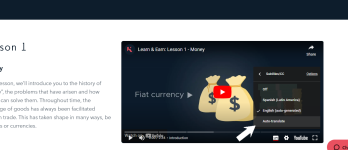
6 Scroll down and click on Turkish or whatever you want.
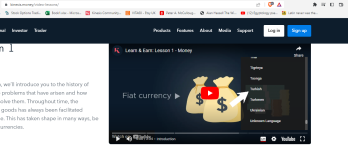
It is possible to get the video to display translated subtitles with a little configuration.
This is what to do.
1 Click the cogged wheel next to the CC at the bottom right of the video
2 Click on Subtitles
3 Click on English autogenerate - this will generate English text which Google will then translate as you wish.
4 Click on subtitles
5 Click on autotranslate
6 Scroll down and click on Turkish or whatever you want.